Making Software for Your Non-Tech Small Business
Personalized software no longer takes tremendous time and money.
Small businesses operate usually with high trust and small teams. But coordinating issues when there is a physical location can be challenging. A group chat is not a good way to keep track of what needs to be done. If you take such an approach, inevitably things will fall between the cracks. AI enables any small team to create software tailored for their needs and particular pain points. By enabling in-house personnel to be the designers, development cycles are shortened, and the resulting software is a better fit for the actual problem.
This post is intended for the non-technical audience who wish to experiment with automation. Results are observable in less than half an hour and less than $6 USD. Here, let me explain using an example from tonight, which is coordinating facility management amongst a small team at a jiu-jitsu gym.
Information that is not captured well slips through the cracks and is missed.
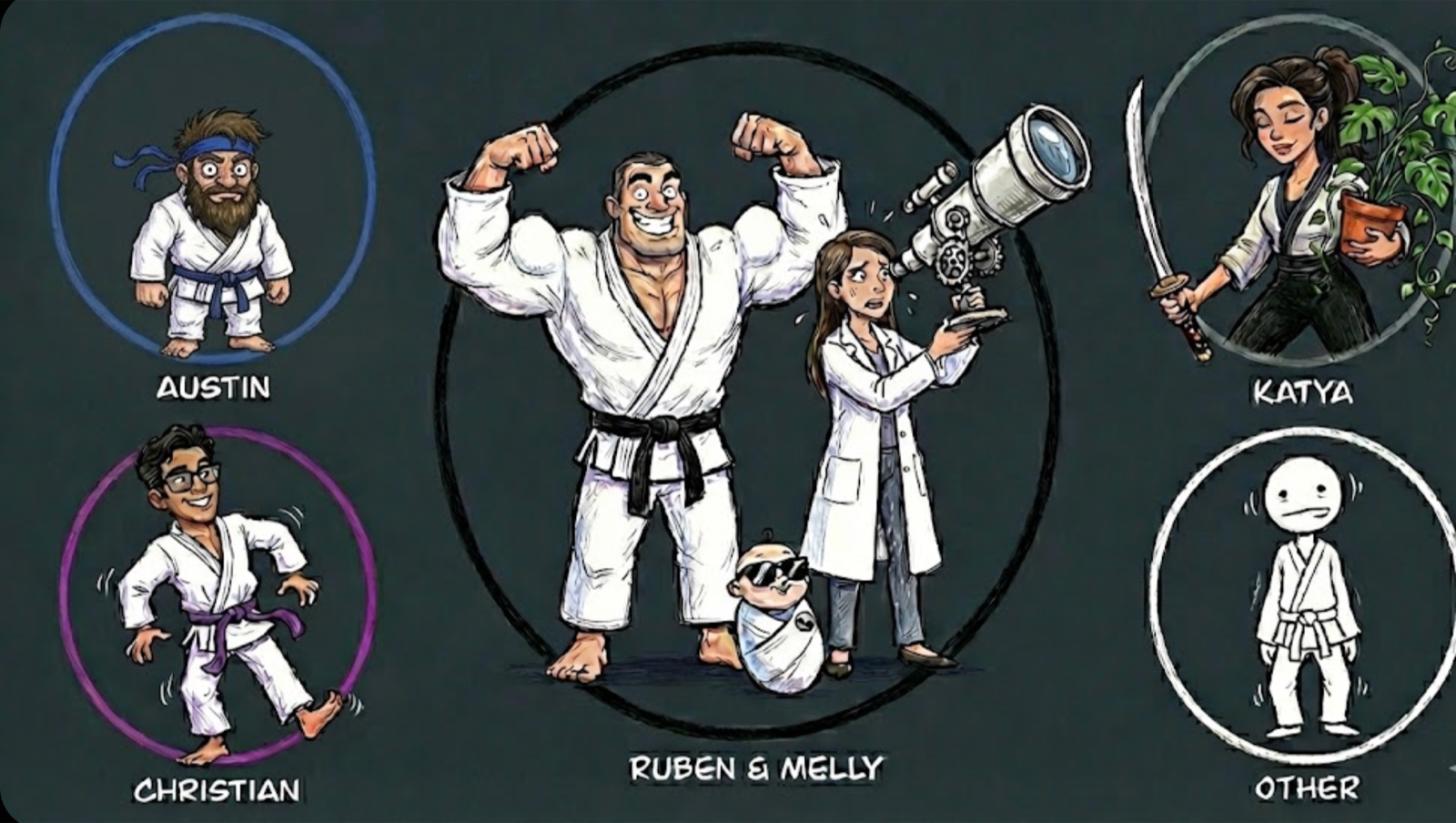
I found myself in three separate messaging threads where, on occasion, actionable information regarding gym management would arise. For example, someone may reach out to me one-on-one to notify me that our fridge is empty and needs to be restocked with Instacart, or that we need an item from Amazon. Another staff member who is primarily responsible for cleaning reaches out in another group chat to confirm when she comes in to clean, and adds a photo update when she finishes. If she discovers we are out of a cleaning supply, she lets me know. Likewise, I may reach out to the gym owner one-on-one if a larger purchase needs to be approved, or to send a receipt from an order — and vice versa if something new arises.
There’s nothing wrong with having separate channels, it is not uncommon, but it is unnecessary. I felt it would be useful if there could be one source of truth, that is easy to access, viewable to everyone, while being faster and more seamless than texting.
Good software is easy for others to use.
When you are creating software you intend to use with others, consider yourself as a secondary user, and the people on your team as the primary ones. Your creation is useless for collaboration if it’s not easy to use. Design with this in mind. In this case, I want to allow team members to make requests with the minimal amount of button pressing. Every time you make your user press a new button or type, imagine as if they are inflicting physical damage on themselves. Such a simple principle is remarkably high-value as a design philosophy.
Consider that “the fridge is empty. can you restock it?” requires you to press 40 buttons. Once you become cognizant of how many buttons we press to do these minor actions you’ll be mortified. I must emphasize to the reader: do not overlook this mundane point.
These behavioral sequences we do for minor tasks do not come at a negligible cost. You do not perform the normalized, semi-conscious ritual of pressing buttons hundreds of times throughout your day and sacrifice nothing. Each small action detracts from your ability to pay close attention to reality, to attend fully to the problems at hand. Become cognizant of this; reduce the needless mental load. Free up space. You will have more mental energy, create stronger outcomes, and focus more fully where it actually matters.
Here, I am using voice to text. I press one key to start recording and press it again to stop. The simple solution reduces weekly keypresses a hundred fold.
Software can be conceptualized as a way to produce an equivalent or superior outcome with less button pressing. Thus, to create it all you must do is write down and label the individual actions that you are performing to complete a digital task. Be granular.
Vibe coding begins by visualizing a workflow: imagine the problem and its solution.
Use your mind’s eye to sketch the user experience.
“The user opens the website to a minimal login page. They are prompted to enter a password. The function of this password is a soft lock, like locking the front door of your house while your windows are all ground level and cracked open. After the password is entered, in one click the user should be able to select their profile. It should immediately bring them to a screen with a text field already selected where they can either type their issue or select common issues.”
Think briefly through why you want this solution.
“The task is monitoring when relevant information arises within different channels and then acting on it in a timely manner. But acting upon information requires that it is properly stored and then retrieved at the right time. Memory is the organic way to do this. I remember much, but often at the wrong time. Technology is an effective way to extend the mental capabilities. Writing extends the powers of memory and recall. Software does too. Whether you offload to a piece of paper or a laptop, you free yourself from what is rote and mechanical, thereby allowing more space for generative creative acts. The nectar of life here is sweeter and more human.”
Getting started with software automation is no harder than speaking your mind.
Bring to mind a category of digital tasks you do routinely. Anything done more than once is worth considering. Then, follow these steps.
- Download and install Superwhisper.
- Open Gemini, or whatever frontier model you have access to.
- Use Superwhisper to speak freely about your task and its steps into a Gemini chat window. Allow yourself to be confused and contradictory: you have just set out to solve a problem, you have only the faintest idea of what that looks like, or how the solution may take shape. If you don’t know what to say, that’s okay, such is the nature of new beginnings.
Generating your source documentation from rough ideas: Examples of lazy vs. reusable prompts
I will show you what an initial message for me looks like. If it were not an honest representation of my process, I would not subject you to the mental abuse of ingesting such loose language. After it, I’ll provide you a standardized, quick-start prompt for you to initialize your conversation with. By contrasting the two, I suspect you will form a better mental scaffold of underlying patterns.
“Help me think through the MVP features needed for a simple, ticketing-style website for my jiu-jitsu gym. There are only about 5 employees, and I handle the maintenance. I want to be able to track when things need to be done. For example, the gym owner or other staff should be able to submit a task easily, with absolutely no friction, like ‘we need paper towels’. I should see their request along with the date. Maybe they can attach a comment or photo as an optional field.
I need to see who submitted it, when, and have some way to track when it’s resolved. I want it to be super easy to use.
However, it’s important that it can’t be abused by random public people, so I want it to be a website they have to ‘log on’ to. I’m trying to figure out the easiest way to do that. Is it easier to have individual logins that get remembered, or just a universal site password (like something personal to the group or whatever) to get in and submit a ticket? And if I do the latter, what security risks does that open up?”
Prompts like the above used to be incapable of producing results with early models like GPT 3.5. As the models have gotten better, they’ve improved at interpreting awful queries and thus I’ve gotten lazier with my prompting. Only when I start to run into issues do I remember the nature of these machines, and how the principles that enable success with smaller models continue to work in spades with larger ones. In line with this, here’s a better place to start.
(thanks Shawn K, for reminding me of this.)
I have an idea for a piece of software I want to build, but I am not a technical user. I want you to act as my Senior Product Manager and Lead Architect. I want to clarify my thinking. My ultimate goal is to iterate with you, collaboratively, toward a complete, detailed Technical Specification Document that I can hand off to an AI coding agent (like Replit or Cursor) to build the app for me without it getting confused.
To get there, we need to have a conversation.
Here are your instructions:
Start by asking me for my initial, rough idea. (It will likely be messy and unstructured, like a brain dump).
Do not just generate a features list immediately. Instead, analyze my idea and identify the missing information we need to make it buildable. Remember that I don’t have a technical background, so while we can discuss concepts together and choices of usability, I won’t be able to proactively identify nor answer technical questions.
Interview me. Ask me clarifying questions one by one. It’s critical you and I both come to an understanding of what problem I am trying to solve and why. Once we are clear on what problem I am trying to solve, my motivation for solving it, we can define the success criteria. Then you can use your experience to define user roles, specific user flows, design preferences, and the technical constraints. Proactively identify and challenge my assumptions. If I suggest something seems risky or inefficient (like password management), explain the pros and cons and guide me toward industry best practices for an MVP.
The final output after making the specification document is that I want you to compress it into a paragraph no more than six sentences to identify the problem I’m trying to solve, why I’m trying to solve it and what the software should do. Be specific enough so that it’s clear to the other AI who does not have this conversational context, but not so specific that you’ve over-defined the problem and hindered the technical creativity of the other machine.
Read this if you struggle to output anything at the start.
Mental blocks aren’t what they seem.
If when you set out to dictate your thoughts, you still feel like you have nothing to say, here’s how to solve this.
Recognize you have not actually entered a place of deep contemplative meditative stillness and mental silence. Instead, you have entered a place of self-censorship and mental stifling. There is thinking going on and the thoughts have language.
The blockage is not appearing because you don’t have anything to say. Rather, it’s that you don’t know what to say, yes. Do you see the difference in the sentence construction? Why are you expecting to know anything? Who are you to come to a new problem with your thoughts preformed? With all of the noise purified out? Accept that your verbalized ideas will be ugly.
These initial iterations will make you feel like a troglodyte. Allow it to be so. You cannot be thoughtful until you’ve done some thinking! Give words to the muddled thinking that is indeed taking place within you. Stifling your own unpolished thoughts only means you will forego your own growth. Can you handle looking dumb to yourself? In the privacy of your own mind? What do you have to lose?
To recognize yourself as a fool will not destroy you. Instead, it will unlock the utmost engagement in your own mental life. You will be forced into confrontation with yourself, you will realize that all of your thinking is really this jumbled, this muddled, this confused and unclear, and that you haven’t thought much of anything at all. The foundation of self-honesty will lend itself to a good sense of humor.
If you find working with AI challenging or frustrating, it’s ok, relax. The problem you’re working on is likely new to you. You are trying to solve it using an unfamiliar method, and you are not skilled at this. Take solace that it is unfamiliar to all of us. These are new times for man and machine.
Improving and iterating your design with Replit
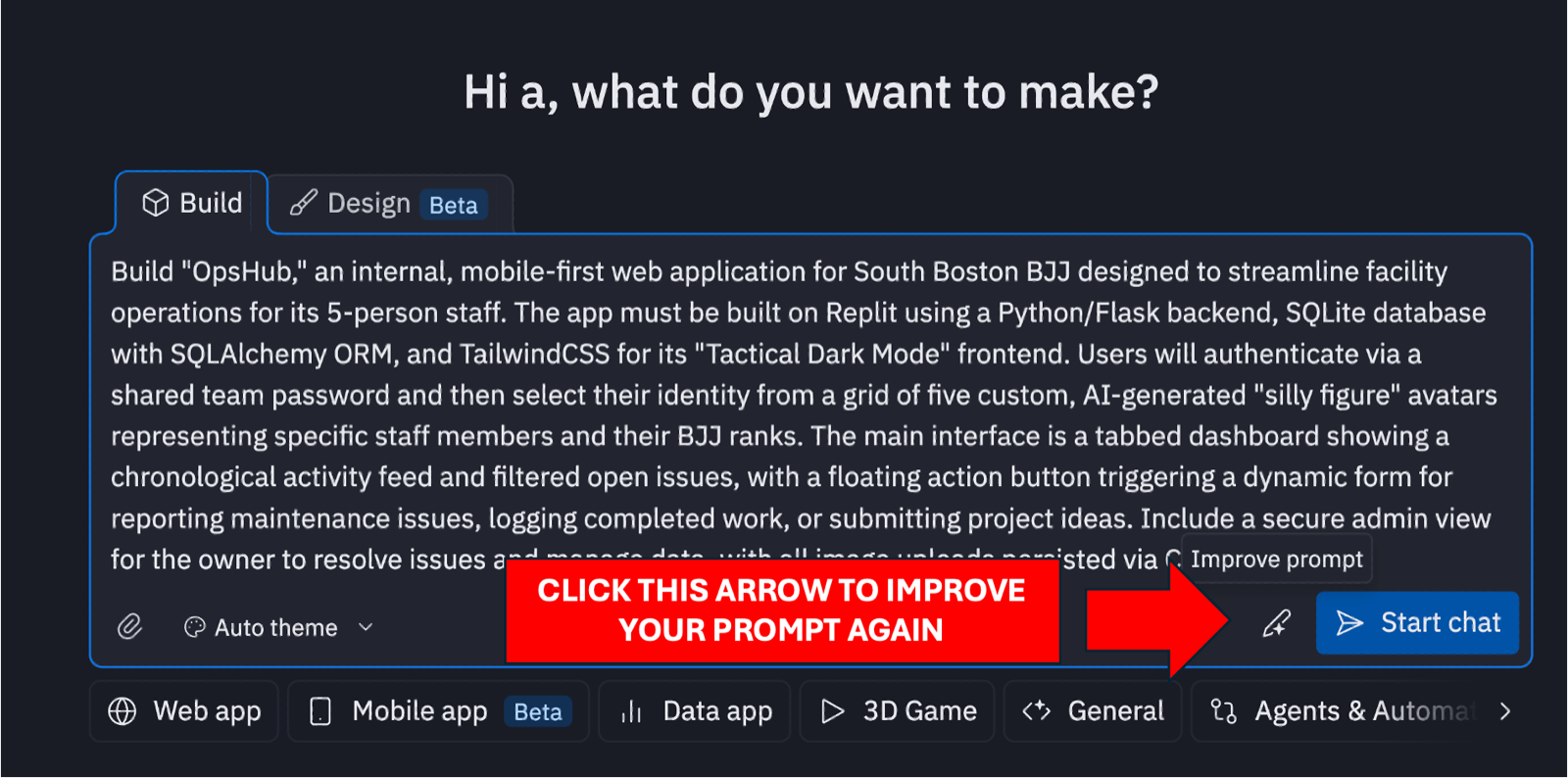
Go to Replit.com. Input the paragraph your last LLM gave you after the rough drafting.
Click the highlighted arrow to have Replit optimize your prompt for their system.
Hit start chat and enjoy!
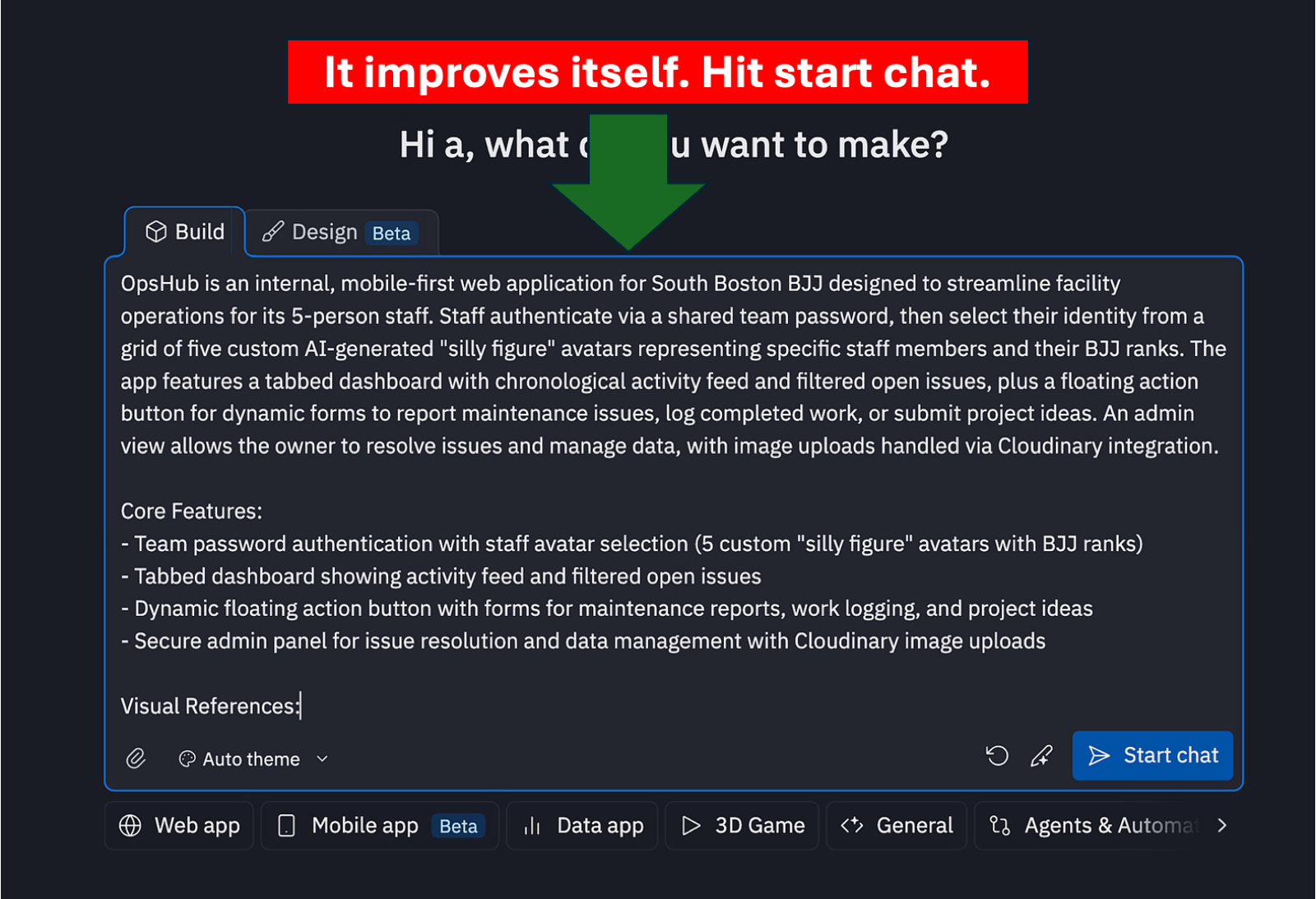
Congratulations. This is making software in 2025.
The Replit agent will orchestrate a plan and execute it. It handles front-end, back-end, and all integrations with third-party services. There will be some conversational back and forth between you and the agent as it iterates on your vision. Full functionality occurs rapidly. I have used the main AI-enabled development tools such as Cursor, Claude Code, Codex, Manus, and Lovable. Replit outperforms Manus and Lovable in all aspects. With regard to creating full apps for non-technical users, it outperforms Cursor, Codex, and Claude Code because of ease of use.
One enjoyable feature is that the autonomy of Replit’s AI agents are adjustable by the user. Often when an AI agent is given unbounded autonomy it wastes your time and its tokens, comprehensively completing the wrong task. Errors compound without human intervention and oversight. Manus, at least its earlier iterations, was particularly vulnerable to this flaw.
Additionally, the debugging features of Replit are impressive. Whereas Cursor and Claude Code excel at debugging anything that occurs in the console, Replit can also debug errors that exist within visual components of a web app. It’ll interact with the GUI and you can watch it do so, observing a live stream of its screen as it clicks and tests different functions, figuring out what doesn’t work and solving it.
Anyone can make software for themselves in minutes, and make better use of computers.
The development timeline for personal software is lightning fast, because the end user is the developer. When you don’t like something, you immediately know and iterate. I suspect professional software developers underestimate the utility of vibe coding as the context in which they evaluate AI-assisted development is within production environments. Real products with real customers are not an appropriate analogy, nor the be-all end-all to creating real value. When the user is creating for themselves, none of the old rules apply.
There was a time in the development of computers when an operating system became more visually intuitive for a normal person. You could click on things as opposed to typing commands. Such a change brought in the era of personal computing. It is how we use our phones. The amount of wealth that was created from this usability change was tremendous. Again, we find ourselves in a period of rapidly changing and improving human-computer interface. Much opportunity awaits.
warmly,
austin